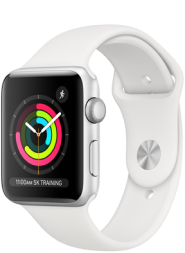
Apple Watch Family Setup: Slik fungerer det

BetterRoaming klokkeabonnementer er en enkel og praktisk måte å holde kontakten på for en familie. Ved å bruke Apple Watch Family Setup-modus i kombinasjon med et BetterRoaming mobilklokkeabonnement, kan du konfigurere flere Apple Watch-er med eget telefonnummer og mobildataabonnement, alt med én enkelt iPhone. Våre klokkeplaner gir et vell av tilkoblingsmuligheter og sikkerhets- og helsefordeler for hele familien både for barn, foreldre og eldre. Nedenfor kan du lese mer om Family Setup-modus – og finne ut hvordan et mobilt klokkeabonnement fra BetterRoaming kan hjelpe deg med å koble til de som er deg nærmest.
Hva er Family Setup for Apple Watch?
Family Setup-modus er en iOS-funksjon som gjør at du kan konfigurere flere forskjellige Apple-klokker via én iPhone. Disse klokkene kan da brukes av personer som ikke har egen iPhone, for eksempel familiemedlemmer. En Apple Watch med et BetterRoaming mobilabonnement vil kunne ringe og motta anrop, bruke apper og være på nett, akkurat som en smarttelefon. Et BetterRoaming klokkeabonnement kan lastes ned på noen få minutter. Og det er ikke nødvendig å bytte mobilleverandør – våre klokkeabonnementer fungerer uavhengig av mobilabonnementet du bruker med din iPhone.

Hva er fordelene med Family Setup-modus?
Denne modusen er designet for å gjøre det enklere for en familie å være tilkoblet. For foreldre, for eksempel, er muligheten til å kunne ringe eller sende meldinger til barnet ditt når det trengs uvurderlig. Imidlertid er mange voksne motvillige til å gi barnet sitt en smarttelefon som lett kan bli borte, og som har mulig tilgang til Internett når som helst. En mobilaktivert Apple Watch er et praktisk alternativ – barna kan holde kontakten uten å ha sin egen smarttelefon. Sammen med Apples familievennlige liste over Watch-funksjoner som posisjonstjenester, skjermtidsbegrensninger, falldeteksjon og SOS-nødfunksjoner, gir Family Setup et nytt sikkerhets- og uavhengighetsnivå for alle aldre.

Hvilke Apple Watch-modeller støtter Family Setup-modus?
Alle dataaktiverte (mobile) Apple-klokker fra serie 4 og utover støtter denne funksjonen. Du må også sørge for at enhetene dine benytter minst iOS14 og Watch OS7. For å oppnå best mulig resultat anbefaler vi at du oppdaterer din iPhone og Watch til den nyeste versjonen av iOS og WatchOS.

Hvilke abonnementer tilbyr vi?
Vi tilbyr to typer abonnementer, månedlige og årlige. Du kan kjøpe et abonnement i følgende land:
Australia, Frankrike, Tyskland, Polen, Spania, Storbritannia, USA.
Vær oppmerksom på at mobiltilkobling og data bare vil fungere i landet du valgte da du kjøpte abonnementet. Det er for øyeblikket ikke mulig å koble til klokken i et annet land og ringe eller sende tekstmeldinger til internasjonale eller premium-numre.
Klikk her for å finne ut mer om planene våre og kjøpe en til Apple Watch.

Klikk her for å finne ut mer om planene våre og kjøpe en til Apple Watch.
Hvis du vil aktivere Apple Watch med et BetterRoaming dataabonnement, må du først konfigurere klokken i Family Setup-modus. Når du har gjort det, kan du legge til et mobilabonnement, enten via Apple Watch-appen på din iPhone eller på BetterRoaming.com Når du er på nettstedet, velger du enten et månedlig eller et årlig abonnement, fyller ut opplysningene dine og bestiller abonnementet (inkludert en innledende 7-dagers gratis prøveperiode). Vi vil da ha klokken tilkoblet og satt opp i løpet av noen få minutter.
For mer informasjon, besøk vår installasjonsside.
Klikk her for å finne ut mer om planene våre og kjøpe en til Apple Watch.