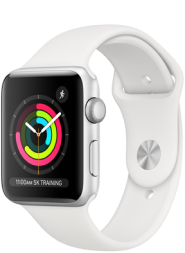
Apple Watch ของ Apple Watch: ลักษณะการทำงาน

แผนบริการนาฬิกา BetterRoaming เป็นวิธีการที่ง่ายและใช้งานได้จริงสำหรับบุคคลในครอบครัวในการติดต่อกัน ด้วยการใช้โหมด Family Setup ของ Apple Watch ร่วมกับแผนบริการนาฬิกามือถือ BetterRoaming คุณสามารถตั้งค่า Apple Watch หลายเรือนด้วยหมายเลขโทรศัพท์และแผนบริการข้อมูลมือถือของตนเอง

ทั้งหมดนี้ด้วย iPhone เครื่องเดียว ตั้งแต่เด็กไปจนถึงผู้ปกครองและผู้สูงอายุ แผนการรับชมของเรามอบการเชื่อมต่อ ความปลอดภัย และประโยชน์ต่อสุขภาพมากมายสำหรับทั้งครอบครัว เรียนรู้เพิ่มเติมเกี่ยวกับโหมด Family Setup ด้านล่าง และดูว่าแผนการบริการนาฬิกามือถือจาก BetterRoaming สามารถช่วยเชื่อมต่อกับคนที่คุณสนิทมากที่สุดได้อย่างไร

Family Setup สำหรับ Apple Watch คืออะไร

โหมด Family Setup เป็นฟีเจอร์ iOS ที่ให้คุณตั้งค่า Apple Watch ที่แตกต่างกันหลายรายการผ่าน iPhone เครื่องเดียว นาฬิกาเหล่านี้สามารถใช้งานได้โดยผู้ที่ไม่มี iPhone เป็นของตัวเอง เช่น สมาชิกในครอบครัว Apple Watch ที่มีแผนบริการมือถือ BetterRoaming จะสามารถโทรออกและรับสาย ใช้แอป และออนไลน์ได้เหมือนกับสมาร์ทโฟน  สามารถดาวน์โหลดแผนบริการนาฬิกา BetterRoaming ได้ในไม่กี่นาที และไม่จำเป็นต้องเปลี่ยนผู้ให้บริการมือถือ แผนบริการนาฬิกาของเราทำงานโดยไม่ขึ้นอยู่กับแผนบริการมือถือที่คุณใช้กับ iPhone ของคุณ

Thiết lập gia đình Apple Watch: Cách thức hoạt động

ประโยชน์ของโหมด Family Setup มีอะไรบ้าง

โหมดนี้ได้รับการออกแบบมาเพื่อช่วยให้บุคคลในครอบครัวสามารถติดต่อกันได้ ในฐานะผู้ปกครอง ความสามารถในการโทรหรือส่งข้อความถึงลูกของคุณในยามที่จำเป็นถือเป็นสิ่งล้ำค่า อย่างไรก็ตาม ผู้ใหญ่จำนวนมากไม่เต็มใจที่จะให้บุตรหลานใช้งานสมาร์ทโฟนซึ่งบุตรหลานอาจใช้งานในทางที่ไม่เหมาะสมและอาจเข้าถึงอินเทอร์เน็ตตลอดเวลา Apple Watch ที่ใช้งานบนมือถือเป็นทางเลือกที่สะดวกสบาย โดยเด็ก ๆ สามารถติดต่อได้โดยไม่ต้องใช้สมาร์ทโฟนเป็นของตัวเอง เมื่อรวมกับรายการฟังก์ชันนาฬิกาที่เหมาะสำหรับครอบครัวของ Apple เช่น บริการบอกตำแหน่ง การจำกัดเวลาหน้าจอ การตรวจจับการล้ม และฟีเจอร์ SOS ฉุกเฉิน Family Setup จะมอบการรักษาความปลอดภัยและความเป็นอิสระอีกชั้นหนึ่งสำหรับทุกช่วงวัย 

Apple Watch Family eSIM

Apple Watch รุ่นใดบ้างที่รองรับโหมด Family Setup

Apple Watch ที่เปิดใช้งานข้อมูล (เซลลูลาร์) ทั้งหมดตั้งแต่ซีรีส์ 4 เป็นต้นไปรองรับฟีเจอร์นี้ คุณจะต้องตรวจสอบให้แน่ใจด้วยว่าอุปกรณ์ของคุณกำลังใช้งาน iOS14 และ Watch OS7 เป็นอย่างน้อย เพื่อผลลัพธ์ที่ดีที่สุด เราขอแนะนำให้อัปเดต iPhone และ Watch ให้เป็น iOS และ WatchOS เวอร์ชันล่าสุด

Apple Watch eSIM plans

เรามีแผนบริการอะไรบ้าง

เราเสนอแผนบริการสองประเภท ได้แก่ แบบรายเดือนและแบบรายปี คุณสามารถซื้อแผนบริการได้ในประเทศต่อไปนี้: ออสเตรเลีย ฝรั่งเศส เยอรมนี โปแลนด์ สเปน สหราชอาณาจักร สหรัฐอเมริกา โปรดทราบว่าการเชื่อมต่อและข้อมูลมือถือจะทำงานในประเทศที่เลือก เมื่อคุณซื้อแผนบริการเท่านั้น การเชื่อมต่อนาฬิกาในประเทศอื่นและการโทรหรือส่งข้อความไปยังหมายเลขระหว่างประเทศหรือหมายเลขราคาพิเศษไม่สามารถทำได้ในขณะนี้

คลิกที่นี่เพื่อเรียนรู้เพิ่มเติมเกี่ยวกับแผนบริการของเราและซื้อแผนบริการสำหรับ Apple Watch ของคุณ

Apple Watch eSIM offerings

หากต้องการเปิดใช้งาน Apple Watch ด้วยแผนบริการข้อมูล BetterRoaming คุณต้องตั้งค่านาฬิกาในโหมด Family Setup ก่อน เมื่อคุณดำเนินการเสร็จแล้ว คุณสามารถเพิ่มแผนบริการมือถือได้ ไม่ว่าจะผ่านแอป Apple Watch บน iPhone ของคุณหรือบน Watches เมื่อคุณอยู่ในเว็บไซต์ ให้เลือกแผนบริการรายเดือนหรือรายปี กรอกรายละเอียดของคุณ และจองแผนบริการของคุณ (รวมถึงการทดลองใช้ฟรี 7 วันแรก) จากนั้น เราจะเชื่อมต่อนาฬิกาของคุณและตั้งค่าภายในไม่กี่นาที

สำหรับข้อมูลเพิ่มเติม กรุณาเข้าชมหน้าการติดตั้งของเรา

คลิกที่นี่เพื่อเรียนรู้เพิ่มเติมเกี่ยวกับแผนบริการของเราและซื้อแผนบริการสำหรับ Apple Watch ของคุณ

Add a mobile plan to an Apple Watch

สำรวจแผนบริการสำหรับอุปกรณ์ทั้งหมดของคุณ

Save 13% with a yearly plan

แผนบริการสำหรับ Apple Watch 

Apple Watch eSIM plans
Save 27% with a yearly plan

แผนบริการข้อมูลสำหรับ iPad

สมาร์ทโฟน

แผนบริการข้อมูลสำหรับสมาร์ทโฟน

Apple Watch For Your Kids (formerly known as Apple Watch Family Setup) allows iPhone users to set up multiple cellular Apple Watches with separate Apple Watch plans and monitor each watch via the iPhone. BetterRoaming wearable eSIM Plans are only compatible with Apple Watches. We do not currently support smartwatch eSIM plans for any other manufacturers. Setup of the eSIM also requires an iPhone. BetterRoaming smartwatch plans will not be compatible with Android or Google devices. However, BetterRoaming smartphone eSIM plans can be used with any eSIM-compatible phone, in over 160 countries worldwide. Please see this guide to eSIM-compatible smartphones for more information. 
To use Apple Watch For Your Kids/Apple Watch Family Setup mode, customers will require an iPhone 6s or later, operating iOS 14 or later. Each Apple Watch must also be running WatchOS 7 or later. We recommend updating to the latest available iOS and WatchOS before setting up Apple Watch For Your Kids/Apple Watch Family Setup mode. BetterRoaming Apple Watch plans are compatible with any cellular model of Apple Watch with WatchOS 7 or later. This includes:  
Apple Watch Series 4 GPS + Cellular, Series 5 GPS + Cellular, Series 6 GPS + Cellular, Series 7 GPS + Cellular, Series 8 GPS + Cellular, Series 9 GPS + Cellular and Series 10 GPS + Cellular 
All Apple Watch Ultra, Apple Watch Ultra 2, and Apple Watch Hermès Ultra 2 models, Apple Watch SE Cellular (1st Generation) and Apple Watch SE Cellular (2nd Generation), All Apple Watch Hermès models.
 
Before they can set up cellular on an Apple Watch, users must first ensure they have enabled Family Sharing on their Apple Account. The Family Organiser must be logged in to their Apple Account on the iPhone that will be used to set up the Apple Watch. Additionally, anyone who will be using the Apple Watch(es) will also need to be added to the Family Group. For more information on setting up Family Sharing, creating an Apple Account for a Family member and adding them to an Apple Family Group, see the Apple Family Sharing page https://support.apple.com/en-us/108380.  
How do I pair an Apple Watch? 
So how do you connect an Apple Watch to a phone? For detailed advice on how to set up Apple Watch cellular plans, including how to start Family Sharing, how to set up Apple Watch For Your Kids / Family Setup, and using mobile plans with Apple Watch, please visit the Apple Watch Family – How to Install page. This page covers how to pair Apple Watch to iPhone and start using an Apple Watch eSIM Plan. 
BetterRoaming is a trusted Apple Partner and one of the few network providers selected by Apple to offer Apple Watch mobile plans. BetterRoaming Apple Watch Plans are available in seven different countries and can be purchased as monthly or yearly packages. Learn more about our Appl Watch data plans and find the right BetterRoaming cellular plan for your family here https://www.betterroaming.com/watches/apple-watch-family/. 
All BetterRoaming cellular Apple Watch plans are subject to terms and conditions. View the detailed BetterRoaming wearable plan terms and conditions here